
Simple Smart Solutions


Are you Safe to operate?
Now fully ready for organisational application !
Are you Safe to operate?
Now fully ready for organisational application !
Fatigue Predictor Pro version. Free to download and try. Unlock uploading to a 'cloud' with a Support Website for archiving, analysis and reporting functionalities by taking Subscriptions.
Stone Productions presents Fatigue Predictor Pro. This App is an extension of the unique Fatigue Predictor App with extra functionality designed to use the app as a tool for organisational Fatigue Risk Management Systems (FRMS). The Pro version will have the following features:

Fatigue Predictor Pro for ANDROID is also available on the Google Play store!
Support Website for Fatigue Predictor Pro is available for subscribers. Easily find, sort and filter any uploaded data from the apps. Ideal for analysis and reporting! FPPro Support Website.
Fatigue Predictor Fb for Android and for Apple IOS are ready for download in their respective Stores.

FITBIT integration in the Fatigue Predictor PRO versions will be the next upgrade!. Fatigue Predictor PRO will become the new generation of Fatigue Management tools!
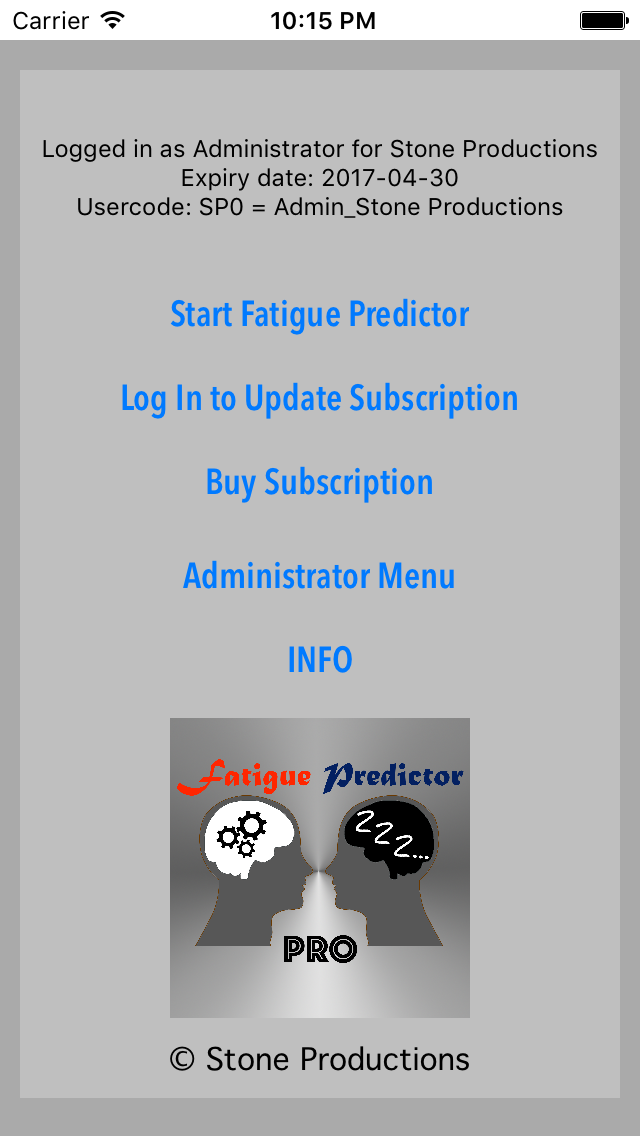
The initial screen of Fatigue Predictor Pro offers a menu to navigate to other screens:
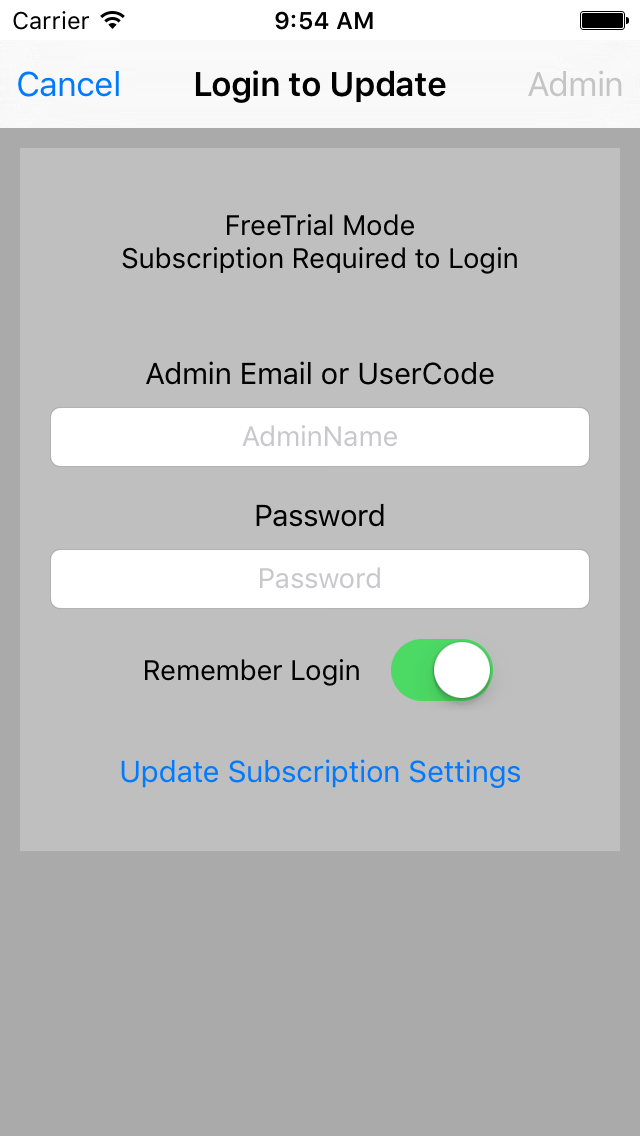
With Log In to Update Subscription you can log in as User (using Usercode) or Administrator (using Admin Email) to get the App in the appropriate mode. Fill in details and tap Update Subscription Settings
After logging in as User the organisational parameter set will be downloaded as well and set in the Apps memory.
For ease of use the login details can be be set to be remembered by the App.
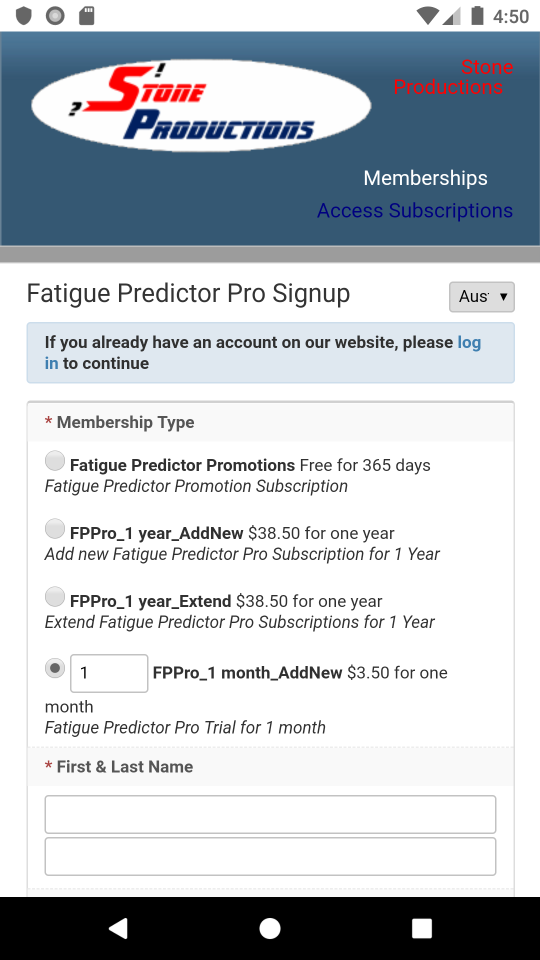
The Buy Subscription option enables the purchase of subscriptions. A single subscription will unlock all capabilities for individual use. Buying multiple subscriptions a organisational set up can be initiated with an administrator and multiple users.
The IOS version of the app provides an In-App purchase page to buy subscriptions. (see below). The Android version links to a Stone Productions Signup page for Fatigue Predictor Pro subscriptions. (If already subscribed to Stone Productions' membership system, just sign in and continue any purchase via PayPal.)
Using Apple devices, as an alternative to the In-App purchase you may use following link: Buy Subscriptions
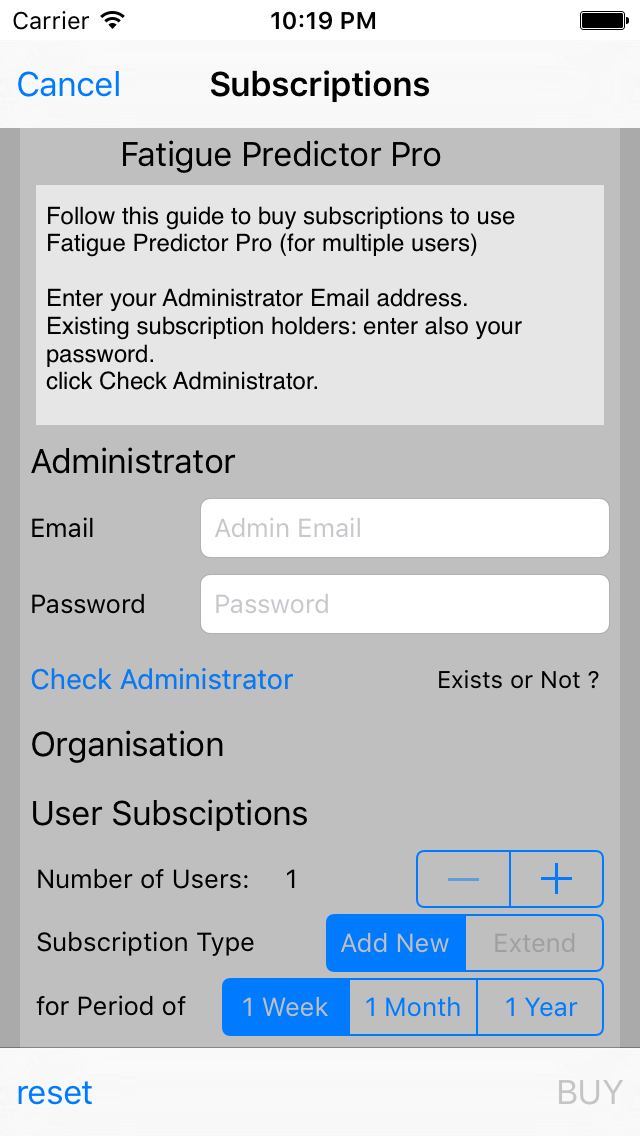
On the IOS Subscriptions screen new subscriptions can be organised or current subscriptions for users can be extended. An information window will guide you through the process.
For new subscriptions enter the email address for the administrator and set a password. Then tap Check Administrator to check if these details are available on the cloud. If available you are prompted to enter a Name for your organisation and set an Acronym (1-10 letters [no numbers]). Again tap Check Acronym to check if it is unique for the system. If available you are set to buy subscriptions. Select number of users and period of subscription and tap BUY to start the payment process.
For existing subscriptions enter the email address for the administrator and set a password. (If logged in as Administrator and Remember Login is set this will be filled in already) Then tap Check Administrator to check if these details are correct. If Login is correct you are set to buy subscriptions. You can choose between Add New or Extend. (With extend the users with the earliest expiry dates and newest updates will be extended first. If users are not expired yet, the period will be added to their expiry date.) Select number of users and period of subscription and tap BUY to start the payment process.
After payment the subscription will be processed and confirmed.
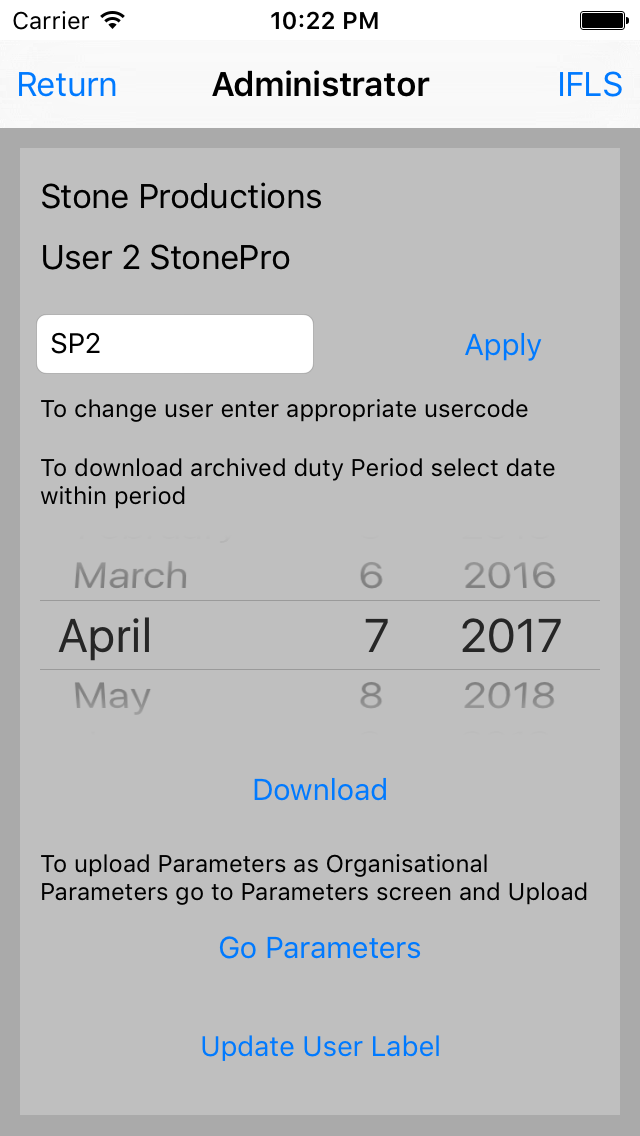
The Administrator Menu offers 4 administrator functions:

By tapping on INFO the information about Fatigue Predictor (PRO) will be displayed.
For any questions contact Stone Productions.
Stone Productions offers also other FRMS solutions or can even produce a tailor made solution for you or your organisation. Visit the Stone Productions FRMS Website page for more information.
Would you like to know when promotions for this App are active? Sign up to the Promomtions Newsletter on the Fatigue Predictor Promotions page.